Book one meeting room across an entire interview panel

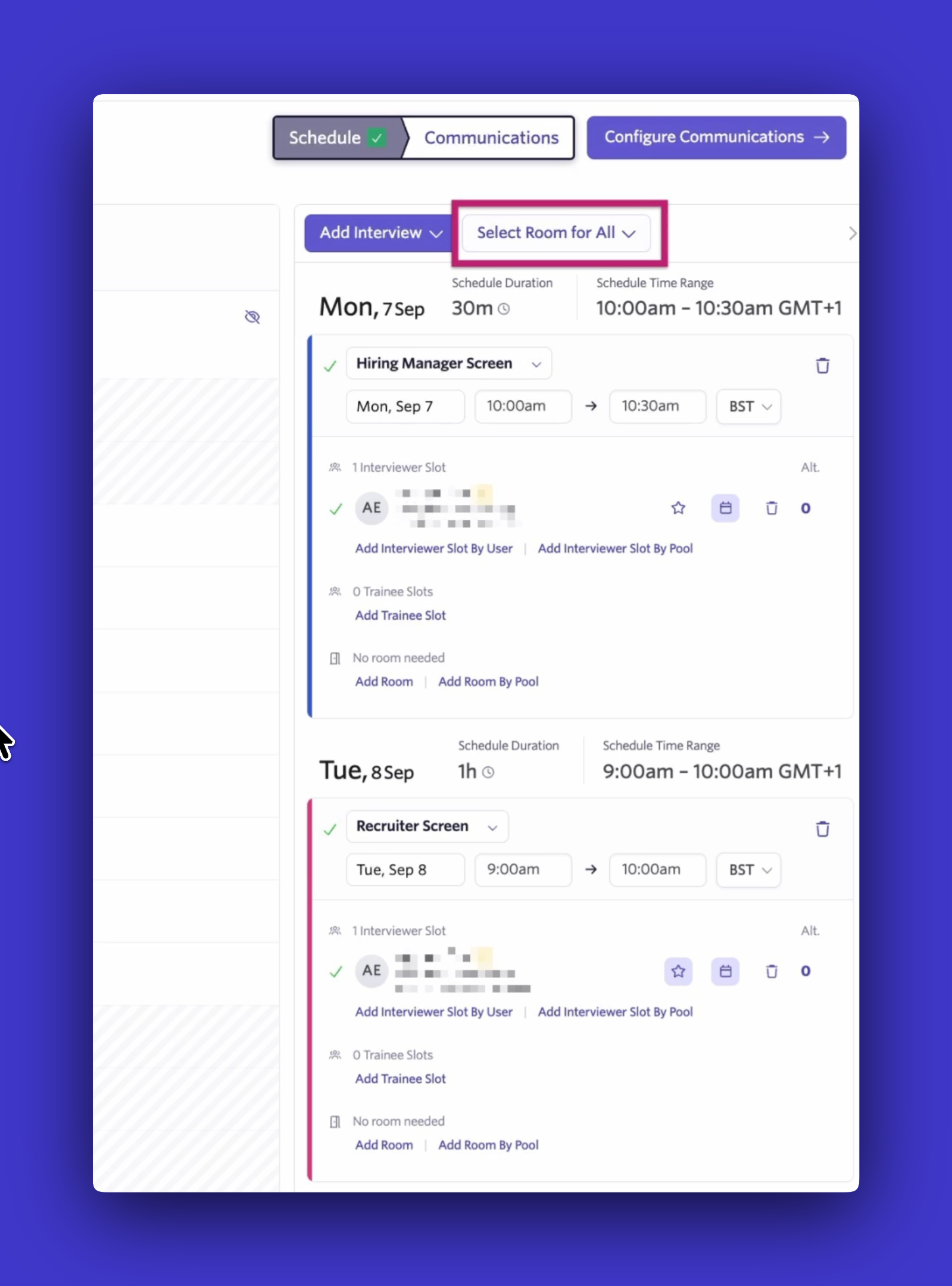
You can now find and select a meeting room for an entire interview panel in one step. When scheduling a panel, Ashby shows you which rooms are available across all of its events. If no single room is available for the full panel, Ashby shows you which rooms cover the most events. Select a room once, and Ashby applies it across the panel.
This makes it easier to keep candidates in one place throughout an onsite and simplifies room logistics for your team. Previously, finding a room that worked across an entire panel meant checking availability event by event or comparing rooms in your calendar, then returning to Ashby to make each selection manually.
Find rooms available across the full panel
When scheduling a panel, you can now search for meeting rooms based on availability across the entire panel. Ashby prioritizes rooms that are available for every event. If none are available for the full schedule, Ashby shows you the rooms that cover as many events as possible.
Once you've found the right room, select it once to apply it across the panel. There’s no need to assign the same room to each interview individually.
Reserve rooms across breaks and multi-day schedules
For panels that span multiple days, you can search for a room across the full schedule or select rooms separately for each day.
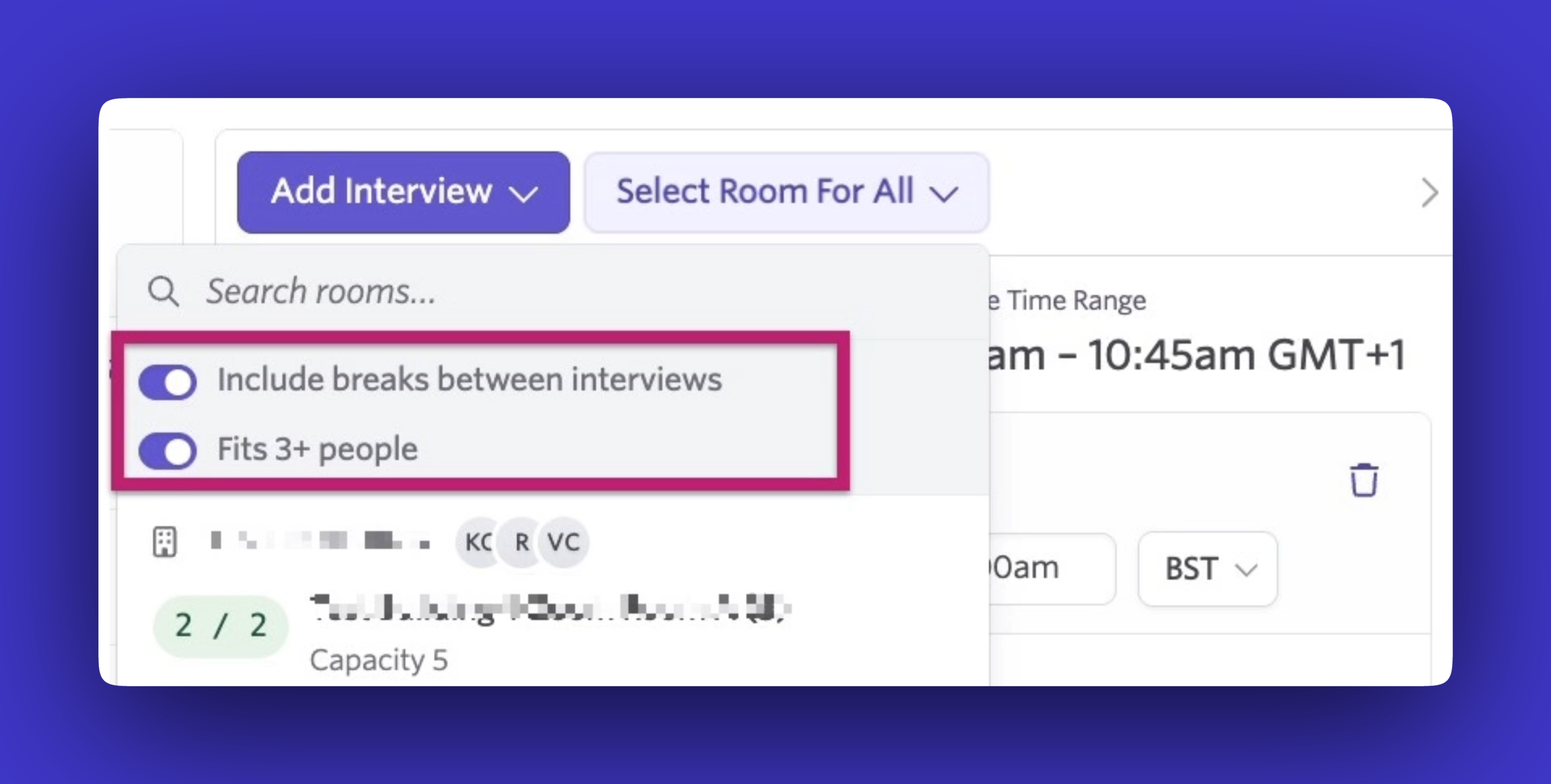
You can also choose to include breaks when checking availability. Ashby will look for rooms that are free continuously from the first event through the last event of each day, including any gaps between interviews.
This makes it easy to reserve a room for the entire onsite, so the candidate can stay in one place while interviewers come to them.
Getting Started
Panel meeting room selection is available on Foundations, Plus, and Enterprise plans.
Visit our Help Center for more details on how to get started.